
Landing Page vs. Bridge Page – what are the key differences an affiliate marketer should know?
When you start affiliate marketing, you will often encounter two terms: landing page and bridge page. Although these terms are sometimes used interchangeably, they describe different concepts.
Understanding the difference can help you build a more effective affiliate marketing strategy without creating unnecessary webpages or confusing your visitors.
Disclaimer: Some of the links in this article are affiliate links. If you click on the link and purchase the item, I may earn a commission at no extra cost to you.
Table of Contents
ToggleIntroduction: Landing Page vs Bridge Page
In simple terms, a landing page is a webpage designed to achieve a specific goal, while a bridge page connects visitors with an offer by helping them understand why it may be worth considering.
Let’s explore how each works, how they differ, and how an ordinary article can serve as a bridge to an affiliate offer.
What Is a Landing Page?
A landing page is a webpage designed to encourage visitors to take a particular action. That action might be purchasing a product, signing up for a newsletter, registering for a course, or starting a free trial.
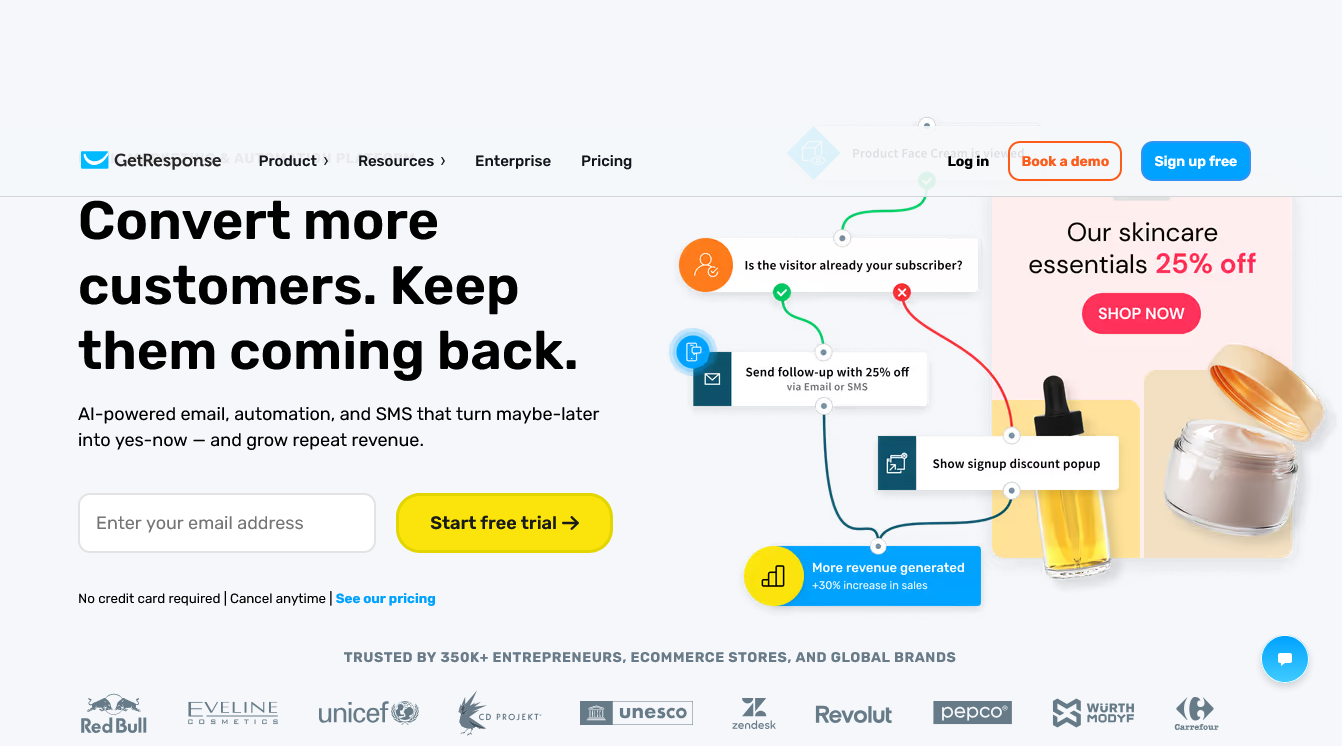
For example, GetResponse’s homepage introduces its email marketing platform and encourages visitors to explore its features and try its services. This is an example of a business promoting its own product to potential customers.
Depending on its purpose, a landing page might include:
- A clear headline explaining the main benefit.
- A description of the problem the product solves.
- Key features and benefits.
- Testimonials or other relevant evidence, where available.
- A call to action, such as Start Your Free Trial.
The purpose is to help visitors understand the offer and encourage them to take the next step.
A landing page does not necessarily have to sell something. A page designed to collect newsletter subscriptions or encourage course registrations can also be a landing page.
The key idea: A landing page is defined by its goal. It is designed to guide visitors toward a particular action.
GetResponse Landing Page
What Is a Bridge Page?
A bridge page is a webpage that connects visitors with a product, service, or other offer. It provides information that helps visitors understand the offer before they proceed to the next page.
In affiliate marketing, this is particularly useful because visitors may arrive from a search result, social media post, or advertisement without knowing much about the product you recommend.
For example, suppose you want to promote an email marketing platform through an affiliate link.
Instead of sending visitors directly to the seller’s website, you could first direct them to a page that explains:
- Why businesses need an email marketing system.
- What problems such a system can solve.
- Which features to consider when choosing a tool.
- Why the particular product may be suitable for certain users.
- Where visitors can learn more about the product or try it themselves.
The page then includes a link to the vendor’s website. If a visitor clicks that link and subsequently makes a qualifying purchase, you may earn an affiliate commission, depending on the program’s terms.
A bridge page does not have to pressure visitors into purchasing. Its purpose is to provide useful context and help them decide whether the offer is relevant to their needs.
The key idea: A bridge page connects a visitor’s existing need or interest with a potential solution.
Landing Page vs Bridge Page: Key Differences
Landing page | Bridge page | |
Main purpose | Encourage a specific action | Connect visitors with an offer |
Typical content | Benefits, features, forms, and calls to action | Problem, explanation, recommendation, and next step |
Common goal | Purchase, registration, subscription, or another conversion | Help visitors evaluate an offer before proceeding |
Next step | May complete the desired action directly | Usually directs visitors to another page |
Affiliate marketing use | Can promote an offer directly | Can introduce and explain an affiliate offer |
The distinction is about purpose rather than appearance. Both pages can contain headlines, images, explanations, and buttons.
A landing page can also function as a bridge page if it receives visitors and prepares them to visit an external offer. The terms are not mutually exclusive.
How Do Landing Pages and Bridge Pages Work in Affiliate Marketing?
Consider a practical example in which you promote an email marketing platform.
Your affiliate marketing journey might look like this:
Step 1: Attract visitors
A person searches Google for information about building an email list. They find your article and visit your website.
Step 2: Explain the problem
Your article explains why an email list matters, how businesses attract subscribers, and why managing those subscribers becomes difficult as the list grows.
Step 3: Introduce a potential solution
You explain how email marketing software can help businesses manage subscribers and send campaigns more efficiently. You recommend a suitable tool and explain its relevant benefits and limitations.
Step 4: Direct interested readers to the offer
You provide an affiliate link to the software provider’s website. Readers who want to explore the tool can click through.
Step 5: Let the vendor handle the sale
The vendor’s website explains its plans, pricing, features, and purchase options. If a visitor makes a qualifying purchase, you may receive a commission under the affiliate program’s terms.
This journey can be represented as:
Search traffic > Informative article > Relevant recommendation > Affiliate link > Vendor’s website > Potential commission
In this example, your article performs the role of a bridge page because it connects an informational search with a relevant commercial offer.
Can an Article Serve as a Bridge Page?
Yes. You do not always need to create a separate bridge page for affiliate marketing. An informative article can serve this purpose when it naturally connects the reader’s question with a relevant product or service.
Imagine that you publish an article titled How to Build an Email List for Your Business.
The article could explain how to attract subscribers, create signup forms, and develop useful email content. When discussing subscriber management, you could introduce email marketing software as one possible solution.
You could then include a relevant affiliate link for readers who want to explore that option.
In this case, the article serves two purposes:
- It answers the reader’s question with useful information.
- It connects interested readers with a product that may help them take the next step.
However, not every article is a bridge page. An article that simply explains the history of email marketing without directing readers toward an offer may be purely informational.
Similarly, an article can contain an affiliate link without functioning primarily as a bridge page. The important factor is the role the page plays in the reader’s journey.
Do You Need a Dedicated Bridge Page?
Not necessarily.
If you already have a useful article that explains a problem and introduces a relevant solution, that article may be sufficient. You can include an appropriate affiliate link without creating another webpage.
A dedicated bridge page may be useful when you need a focused explanation of a particular offer, especially for a specific advertising campaign or audience.
However, creating additional pages simply to insert more affiliate links does not automatically improve conversions. Each page should serve a clear purpose and offer genuine value to visitors.
When Should You Use a Landing Page Instead?
A dedicated landing page can be useful when you want visitors to focus on one specific action.
For example, suppose you are offering a free SEO checklist in exchange for an email address. You could create a landing page that explains what the checklist contains and invites visitors to subscribe.
The page would focus on collecting email addresses rather than introducing visitors to an affiliate offer.
A dedicated landing page may also be useful when:
- You are running an advertising campaign with a specific objective.
- You want to collect leads for a service or course.
- You need to explain a product without distractions from unrelated content.
- You want to test different headlines, offers, or calls to action.
The best choice depends on your goal, audience, and the information visitors need before taking action.
How to Use This Strategy on Your Website
For a content-based website, you can often begin with helpful articles rather than building a separate landing page for every affiliate product.
A practical approach is to:
- Publish informative articles: Answer questions that your target audience is searching for.
- Identify relevant needs: Understand which products or services could genuinely help readers.
- Make useful recommendations: Explain why a product may be suitable, including relevant limitations.
- Place affiliate links naturally: Give interested readers a clear way to explore the offer.
- Evaluate the results: Monitor traffic, affiliate link clicks, and conversions where tracking is available.
For example, an article about choosing an SEO tool could explain the features beginners should consider, compare relevant options, and link to a recommended product. The article would remain useful even to readers who do not click the affiliate link.
Always disclose affiliate relationships clearly and ensure that your recommendations are honest and relevant. The objective is to help readers make informed decisions, not merely to send them to another website.
Image Source Acknowledgement: Unsplash